> ## Documentation Index
> Fetch the complete documentation index at: https://prowler-feat-jira-issue-dedup.mintlify.site/llms.txt
> Use this file to discover all available pages before exploring further.
> ## Agent Instructions
> Prowler product naming: Prowler App is now Prowler Local Server, and Prowler Enterprise is now Prowler Private Cloud. Always use the current names when answering. The full product reference is at /getting-started/products: Open Source projects are Prowler CLI, Prowler Local Server, Prowler Local Dashboard, and Prowler SDK; Prowler Products are Prowler Cloud, Prowler Private Cloud, Prowler Hub, Prowler Lighthouse AI, and Prowler MCP.
# Quick Inventory
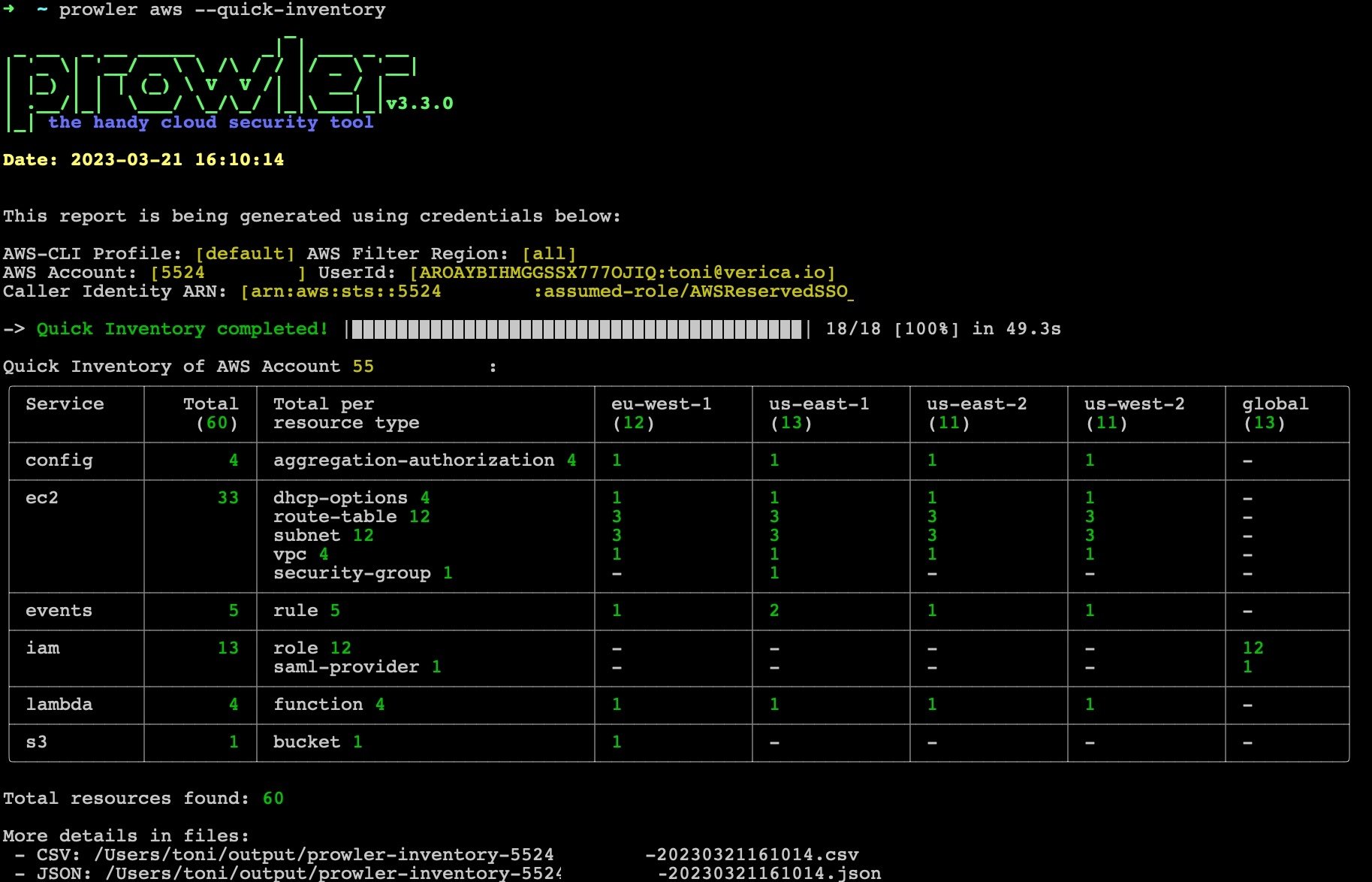
Prowler allows you to execute a quick inventory to extract the number of resources in your provider.
Currently, it is only available for AWS provider.
* You can use option `-i`/`--quick-inventory` to execute it:
```sh theme={null}
prowler -i
```
By default, it extracts resources from all the regions, you could use `-f`/`--filter-region` to specify the regions to execute the analysis.
* This feature specifies both the number of resources for each service and for each resource type.
* Also, it creates by default a CSV and JSON to see detailed information about the resources extracted.
 ## Objections
The inventorying process is carried out with `resourcegroupstaggingapi` calls, which means that only resources they have or have had tags will appear (except for the IAM and S3 resources which are done with Boto3 API calls).
This documentation is built and hosted on [Mintlify](https://mintlify.com), a developer documentation platform.
## Objections
The inventorying process is carried out with `resourcegroupstaggingapi` calls, which means that only resources they have or have had tags will appear (except for the IAM and S3 resources which are done with Boto3 API calls).
This documentation is built and hosted on [Mintlify](https://mintlify.com), a developer documentation platform.